|
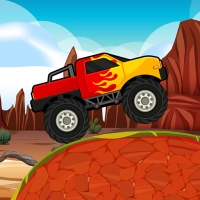
Monster Truck Racing  PLAY PLAY
|














Monster Truck Racing How to play1. Open the game in your mobile browser and wait for the track to load fully before touching the screen.
2. Tap the play button on the main menu to start a race against AI opponents on a dirt or stadium track. 3. Your monster truck is controlled by touch zones on the left and right sides of the screen. 4. To steer left, place and hold your finger on the left half of the screen; the truck will turn in that direction. 5. To steer right, place and hold your finger on the right half of the screen; the truck will turn right. 6. To jump, tap the top of the screen or a dedicated jump button if visible; this helps you clear obstacles or catch air over ramps. 7. Keep your truck on the track by balancing your steering taps; overcorrecting can make you spin out or hit barriers. 8. Watch for bumps and jumps ahead; tapping jump just before a ramp gives you a longer, faster leap. 9. The AI trucks will try to block you and take the inside line; use jumps to pass them on rough sections. 10. If you flip over, wait a moment; the game usually resets your truck automatically back on its wheels. 11. After crossing the finish line, you will see your final position and earn coins or stars based on your rank. 12. Use earned coins in the garage to unlock new monster trucks with different stats for speed, handling, and jump power. |